
Integration and Workflow
EHR and Robotics Integration
The connection that lets robotic systems act on healthcare context — with professional confirmation, defined boundaries and a complete trail.
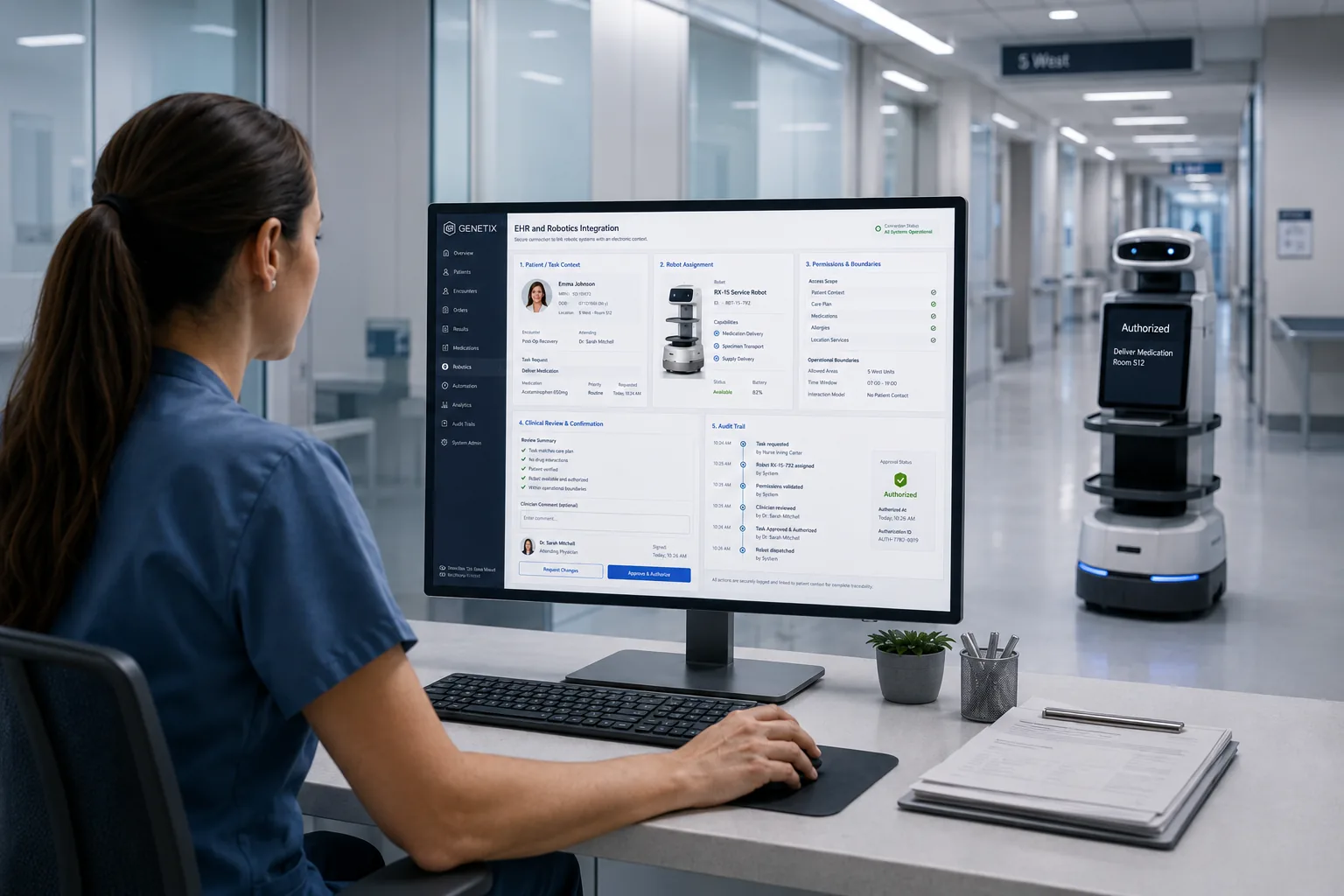 Concept visualisation
Overview
Genetix EHR and robotics integration links robotic systems to the information environment of care: workflow events become robot tasks, professionals confirm what should happen, robots report status and completion, and everything lands in a traceable history. It is the specialised heart of the integration platform for physical action.
The integration is deliberately conservative in design: robots receive exactly the context their task requires, act only within configured boundaries, and cannot initiate clinical actions. Human confirmation points are configurable per task type and are part of the audit trail.
Healthcare context
A robot without context performs motions; a robot with context performs work. The hard part of healthcare robotics is not movement but meaning: which task, for which process, authorised by whom, recorded where. That connection is an integration discipline of its own.
Intended users
- Hospital IT and integration teams
- Clinical technology and robotics operations
- Process owners and governance functions
Availability and deployment options are confirmed as part of an initial consultation with our team.
Capabilities
What it provides
Workflow-to-task translation
Workflow events converted into well-defined robotic tasks with required context only.
Configurable human confirmation
Professional confirmation points per task type, recorded as part of the process.
Status and completion feedback
Robot progress and results reported back into workflow views and the record where relevant.
Boundary and policy enforcement
Task scopes, locations and conditions enforced at the integration layer.
End-to-end traceability
From triggering event to physical completion — one auditable chain.
Example workflow
How it works in practice
- 1
A workflow step needs physical action
A configured process step generates a robotic task with its minimal required context.
- 2
A professional confirms
Where configured, a professional approves the task before execution; the approval is logged.
- 3
The robot executes within bounds
Execution stays inside the task's configured scope; deviations route back to people.
- 4
The chain is complete
Completion updates the workflow and, where relevant, the record — end to end traceable.
Example workflow for illustration. Actual configurations are defined with each organisation and always keep qualified professionals in control of clinical decisions.
Integration
Part of a connected environment
This capability is the bridge between the digital and physical halves of the ecosystem: EHR and workflow on one side, robotic fleets on the other, with policy and audit in between.
EHR–robotics integration realises the Genetix proposition literally: it is the path from healthcare information to intelligent, accountable physical action.
Connects with
- Electronic health records and workflow solutions
- Surgical, assistance and logistics robotics
- Identity, access and audit services
Implementation
Introduced with care
Integration programmes define task types, confirmation policies and boundaries with clinical, operational and governance stakeholders, then implement and test them per robotic capability before production use.
Responsible use
- Robots receive minimal necessary context; no open-ended record access.
- Human confirmation is configurable per task type and always logged.
- The complete chain from trigger to completion is auditable.
Related
Explore further
Get in touch
Talk to our team about EHR–Robotics Integration.
We can walk through the capability in the context of your organisation, your systems and your priorities.